How Does YouTube A/B Testing Actually Work? [2026 Guide]
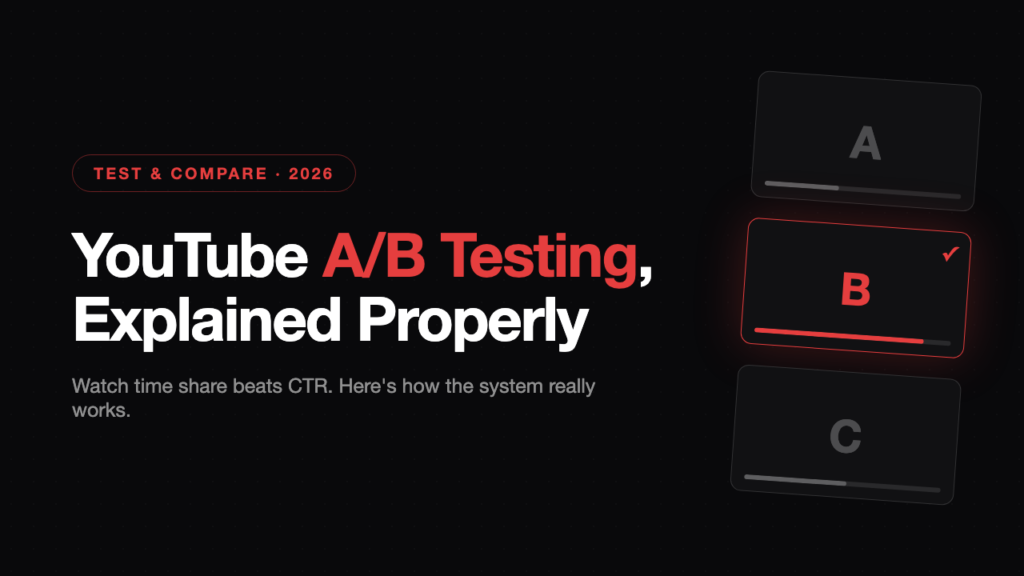
YouTube’s Test & Compare tool lets you A/B test up to three titles and thumbnails on a published video, with the winner chosen by watch time share, not click-through rate. Tests run for up to two weeks and need roughly 1,000 to 5,000 impressions per variant. High-CTR clickbait loses if viewers click and leave.
I run packaging tests across the client channels I manage, and the same misunderstanding comes up every time: creators optimise for clicks while YouTube is scoring them on satisfied watch time. This guide breaks down how Test & Compare actually picks winners, why the wrong test can suppress your reach, and the exact workflow I use to test without hurting a channel.
Key Takeaways
- Watch time share decides the winner: YouTube divides each variant’s total watch time by its impressions. Raw CTR is never the deciding metric.
- The clickbait trap is real: a high-CTR thumbnail with poor retention logs dissatisfaction signals and can actively reduce a video’s reach on Browse and Suggested.
- Test older videos first: YouTube officially recommends it. Testing on a fresh upload dilutes your day-one subscriber velocity with unproven variants.
- Test extreme concepts, not tweaks: near-identical variants overlap statistically and usually end in an inconclusive result after the full two weeks.
What Is YouTube’s Test & Compare Feature?
Test & Compare is YouTube’s native A/B testing tool that runs up to three title and thumbnail variants on one video and shows the best performer to everyone.
The tool started as thumbnail-only testing in 2024, then expanded to titles in December 2025. As of 2026, any creator with Advanced Features enabled in YouTube Studio can test in three modes:
| Test mode | What varies | What stays fixed | Best for |
|---|---|---|---|
| Thumbnail only | 3 images | The title | Isolating pure visual impact |
| Title only | 3 titles | The thumbnail | Isolating wording and angle |
| Title + thumbnail | 3 full packages | Nothing | Finding a winning concept fast |
There are limits worth knowing before you plan a test:
- Desktop only: tests are created and monitored in YouTube Studio on a computer
- No Shorts: only long-form videos, podcasts and saved livestreams qualify
- No kids or private content: made-for-kids, age-restricted and private videos are excluded
- Manual edits cancel tests: changing the title or thumbnail mid-test ends the experiment
How Does YouTube Decide Which Variant Wins?
YouTube crowns the variant with the highest watch time share: the total minutes of watch time a variant generates divided by the impressions it received.
This is the single most misunderstood part of the system. Most creators assume the highest CTR wins. It doesn’t. The pipeline runs impression, then click, then viewer retention, and the winner is whichever variant converts impressions into the most satisfied watch time overall.
YouTube’s stated reasoning is that judging a winner by watch time, rather than clicks, best reflects whether the packaging actually served the viewer. A thumbnail that wins the click but loses the viewer isn’t counted as a win. See YouTube’s official Test & Compare documentation.
That produces outcomes that surprise people. A thumbnail with a lower CTR can win the test because the viewers it attracts stay longer. In my testing on client channels, the calmer, more accurate packaging beats the loud option more often than anyone expects.
At the end of a test you get one of three results:
| Result | What it means | What happens next |
|---|---|---|
| Winner | One variant beat the others on watch time share with statistical significance | Applied to all viewers automatically |
| Performed the same | Variants finished within the margin of error | You choose which one to keep |
| Inconclusive | Not enough data to separate them (too few impressions or variants too similar) | Your original stays live unless you override it |
Why Does a High CTR Sometimes Tank Your Video?
A sensationalised thumbnail that wins clicks but loses viewers in the first 30 seconds sends dissatisfaction signals that suppress the video’s distribution.
Here’s the negative feedback loop. When a viewer clicks and immediately leaves, YouTube logs mismatched expectations against that packaging. If the pattern repeats across a variant, the recommendation system treats the metadata as misleading and pulls back impressions on the Homepage and Suggested feeds, exactly where most views come from.
Real-world example: MrBeast, one of the most data-driven packagers on YouTube, has said his own testing found thumbnails with his mouth closed earned more watch time than versions with his mouth open. The higher-energy option wasn’t the winner. The one that set an accurate expectation was. (reported by TubeBuddy)
This is why the recommendation algorithm should shape how you package, not just how you script. The algorithm is optimising for satisfied viewing sessions, and Test & Compare is built on the same signals.
The practical rule I give every client: your thumbnail is a promise. The video has to cash it within the first minute, or the click works against you.
Should You Test Titles and Thumbnails at the Same Time?
Yes for finding a winning angle, no for learning exactly what caused the change. Combined tests trade precision for speed.
When you test both variables together, YouTube treats them as linked sets: Title A always appears with Thumbnail A, Title B with Thumbnail B. A viewer assigned to group A never sees a mixed pairing, which keeps the experience consistent and stops your video looking like three different videos in the feed.
Two rules keep your data clean:
- The isolation rule: to know precisely what drove a shift, change one variable. Three thumbnails against one fixed title means any difference is purely visual.
- The too-similar trap: swapping one word or nudging a text colour creates overlapping signals. These tests run the full two weeks and usually come back inconclusive.
I use combined sets to find the angle, then isolated tests to refine it.
Why Does YouTube Tell You to Test Older Videos First?
Because testing on a fresh upload feeds unproven variants to your most valuable early audience and dampens the velocity signals that earn broader reach.
YouTube’s own Help Center guidance says it directly: test older videos first to reduce the impact on your channel’s overall views. This is a timing rule, not a creativity rule, and it exists for three reasons:
- Subscriber feed dilution: your first 24 to 48 hours are driven by core subscribers. A three-way test sends two thirds of them unproven packaging and drags down early velocity.
- Audience mixing: subscribers and cold Browse traffic respond to different packaging, so day-one data blends two audiences and reads messy.
- The stagnation loop: one weak variant still gets its traffic share, and its poor conversion can trigger impression pullback before the test even finds a winner.
Your back catalogue carries none of that risk, which makes it the ideal laboratory.
What Should You Actually Test?
Test radically different concepts, not minor tweaks. Distinct variants produce fast, decisive data; similar ones produce two weeks of nothing.
YouTube’s design guidance warns that variants that are too similar make tests run longer because the system can’t separate them. Font colour swaps and small text edits are the classic wasted test.
| Test this (decisive data) | Not this (inconclusive) |
|---|---|
| High-emotion face close-up | The same photo with a brighter crop |
| Bold, high-contrast text-only graphic | One word changed in the title |
| An object or result shot showing the payoff | Yellow title text vs white title text |
| A genuinely different core promise | A slightly larger logo |
The best candidates for testing are videos with strong retention but weak CTR: the content already holds viewers, the packaging just isn’t earning the click. Fixing those is the fastest win in any channel strategy, because the hard part, a video people actually watch, is already done.
What’s the Best Test & Compare Workflow in 2026?
Launch new uploads with your single strongest packaging, run concept tests on older videos, then apply proven winners to the next upload from day one.
This is the loop I run on client channels:
- Upload with your best asset: no test on day one. Let subscriber velocity build through days one to three untouched.
- Test in the archive: run diverse concept tests on older videos where there’s zero risk to daily channel views.
- Log every result: a simple spreadsheet of concept, outcome and watch time share turns individual tests into channel-level packaging intelligence.
- Ship the winner forward: the proven concept becomes the launch packaging for your next upload.
Channels that run this loop on every upload compound their CTR and watch time gains. Ad-hoc testers never build the pattern library. It pairs naturally with a consistent upload schedule, because every new video becomes both a launch and a future test subject.
Frequently Asked Questions
How long does a YouTube A/B test take to finish?
Tests run from a few days up to two weeks. YouTube ends a test automatically once it has enough data for statistical confidence, or stops at the two-week maximum. Videos with higher impression volume finish faster, which is another reason established videos test better than brand-new ones.
How many impressions do I need for a valid test?
Aim for roughly 1,000 to 5,000 impressions per variant. Below that, results usually come back inconclusive. If a video gets very low traffic, test fewer variants at once, two instead of three, so each variant accumulates meaningful data inside the two-week window.
Can I A/B test YouTube Shorts?
No. Test & Compare only works on public long-form videos, podcasts and saved live archives. Shorts, scheduled livestreams and active Premieres are excluded, though a Premiere becomes eligible once it ends and converts to a standard video.
What happens if I edit my title or thumbnail during a test?
The test cancels. Any manual change to packaging while an experiment is running ends it without a result, and the data is lost. Finalise your variants before launching, and leave the video alone until YouTube declares an outcome.
Does running an A/B test hurt my video’s performance?
On an older video, no. Worst case, a weaker variant temporarily gets a share of impressions. On a fresh upload, it can: two of your three variants are unproven, and serving them to your core subscribers in the first 48 hours dampens the early velocity the algorithm uses to expand reach.
What does an inconclusive result mean and what should I do?
It means YouTube couldn’t separate the variants statistically, almost always because they were too similar or impressions were too low. Rerun the test with genuinely different concepts, a different emotion, composition or format per variant, rather than variations on one idea.
Who is eligible for Test & Compare?
Any creator with Advanced Features enabled in YouTube Studio. That requires a verified account plus either channel history, video uploads or ID verification. The global rollout completed in December 2025, so eligibility is no longer the barrier it was during the beta.
Should I test the packaging on a brand-new upload?
No. Launch with your single strongest title and thumbnail, protect the first three days of subscriber momentum, and run your experiments on the back catalogue instead. Apply what wins there to your next upload from day one. You get the learning without the velocity cost.
Test Like the Algorithm Thinks
Test & Compare rewards creators who understand what YouTube actually optimises for: satisfied watch time per impression, not clicks. Test bold concepts on your back catalogue, protect your new uploads, log everything, and feed the winners forward.
Packaging is one of the highest-leverage levers on any channel, and it’s now testable with real audience data instead of guesswork. If you want a testing system built into your channel strategy rather than bolted on, that’s exactly what I do for clients.
Book a free YouTube strategy call →
Sources
- YouTube Help Center: A/B Test Titles & Thumbnails (official documentation, including the “test older videos first” guidance)
- Search Engine Journal: YouTube Title A/B Testing Rolls Out Globally (December 2025)
- PPC Land: YouTube Expands A/B Testing to Include Titles
- Music Ally: YouTube Title A/B Testing and Algorithm Changes (12 December 2025)
- TubeBuddy: How to A/B Test on YouTube (MrBeast thumbnail testing example)
- YouTube: How the Search and Recommendation System Works
Written by: John Isaacson, YouTube strategist and video production consultant. John manages YouTube strategy and packaging for business channels across healthcare, marketing and fitness, running native A/B tests as part of every channel programme.
Last updated: 13 July 2026
Want results like this for your channel?
Book a free 30-minute strategy call and let's figure out the right move for your content.
Book a strategy call →