Can AI Edit Your YouTube Videos? Claude Code Does It in 20 Minutes [2026]
Can AI Edit Your YouTube Videos? Claude Code Does It in 20 Minutes [2026]
Claude Code now handles the complete video editing workflow — audio treatment via the Auphonic API, rough cut with mistake removal, motion graphics placement, and final export — in about 20 minutes. I’ve spent a week building and refining the video editing skill, and I haven’t opened Premiere Pro since. A 15-minute recorded video can be fully edited and YouTube-ready in under an hour from hitting record.
If you’re still manually treating audio, cutting mistakes, and dropping in motion graphics every time you record a video, you’re spending hours on work that Claude Code now does in the time it takes you to make a coffee. I’ve tested it, I’ve lived with it, and this is what I’ve actually found — not theory, not promises, just what happens when you build the right workflow.
Key Takeaways
- Full automation in 20 minutes: Claude Code treats audio, cuts mistakes, places motion graphics, and exports a YouTube-ready video without any manual intervention
- Four distinct steps: Auphonic audio treatment → rough cut with mistake removal → motion graphics placement → final export and review
- Production value has diminishing returns: In our testing, low-edit and high-edit styles produce no measurable difference in YouTube retention — content quality drives results
- Taste becomes the differentiator: When everyone can produce a clean video, editors with genuine creative judgment and strategic thinking separate from the pack
- AI slop is a creation problem, not an editing problem: Using AI to edit your original ideas is fundamentally different from using AI to generate the ideas themselves
What Does Claude Code Actually Do When It Edits a Video?
Claude Code executes four sequential tasks — audio treatment, rough cut, motion graphics, and export — without you touching anything between steps.
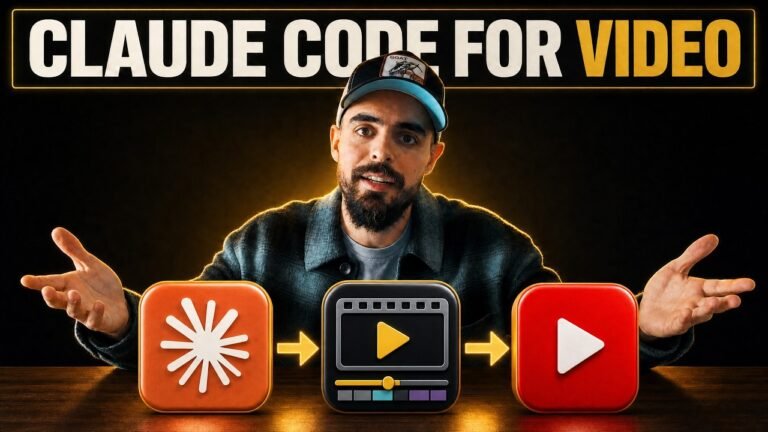
Here’s the exact sequence. First, it sends the raw audio file to the Auphonic API, which treats it for noise, normalises levels, and handles all the cleanup that used to require opening Adobe Audition. The treated audio replaces the original automatically.
Once audio is done, Claude Code works through the transcript to identify and cut mistakes, filler words, long pauses, and dead gaps. This is the part that used to take hours on a long-form video — podcast episodes especially. Now it runs in seconds.
After the rough cut, it analyses the script to identify moments where motion graphics would add value, drops in the relevant templates, and then does a final check before exporting the complete file. The whole sequence takes about 20 minutes for a typical 10-15 minute YouTube video.
I’ve found it consistently delivers a clean, broadcast-ready file I can upload directly. The motion graphics aren’t winning awards, but they’re more than good enough for YouTube.
How Does the Auphonic API Integration Work?
Claude Code connects to the Auphonic API directly, replacing what used to be a manual upload process that required logging into a website and downloading the result.
Auphonic is an AI audio mastering tool we’ve been using for all our clients for the past year. It handles noise reduction, loudness normalisation, hiss removal, and all the audio quality work that traditionally required Adobe Audition or similar software.
Before building this integration, I was logging into the Auphonic website, uploading the raw file, waiting for it to process, downloading the result, and importing it back into Premiere. Each step took time. Now, when I finish recording, I start Claude Code and the audio treatment happens automatically as the first step — no website, no waiting, no manual file handling.
In our work with clients, audio quality is the single biggest differentiator between a video that feels professional and one that doesn’t. Getting this step automated without sacrificing quality was the key unlock that made the whole workflow viable.
How Does Claude Code Remove Mistakes and Tighten the Edit?
Claude Code uses transcript analysis to identify and cut mistakes, long pauses, filler words, and dead gaps — producing a clean rough cut automatically.
The process works from a full transcript of the raw footage. Claude Code identifies sections that should be removed: stumbled sentences, long silences, repeated phrases, and obvious mistakes. It then makes the corresponding cuts in the actual video file.
For a solo YouTube video, this might save 30-60 minutes of work. For a podcast interview or long-form educational video, this stage alone could take 2-3 hours to do manually. The rough cut that used to be the first full morning of an edit now happens automatically before I’ve even looked at the footage.
I’ve been recording a lot more freely since setting this up. Knowing the cleanup is automated means I don’t second-guess myself mid-recording trying to do perfect takes. I just talk, make mistakes, talk through them, and let Claude Code tidy it up. The output is cleaner than what I’d produce manually under the pressure of trying to minimise editing time.
Are the Motion Graphics Actually Good Enough for YouTube?
They’re functional and consistent — good enough for a clean YouTube video, not good enough for premium brand work or broadcast.
I spent about half a day teaching Claude Code the motion graphics skill — building the templates, writing the placement logic, and testing the output. It analyses the script to choose where graphics belong contextually, then drops in the appropriate template. Think title cards, lower-thirds, and emphasis animations rather than complex compositing.
Honest assessment: they look better than no graphics, and they look exactly like what a junior editor would produce following a template brief. That’s actually the right benchmark, because that’s the work they’re replacing.
What they’re not doing is creative decisions about pacing, style, or whether a graphic is appropriate in a given moment. I’ve found it occasionally drops a graphic where I wouldn’t — and that’s fine. The occasional misplaced title card is a reasonable tradeoff for saving 90 minutes per video.
If you have clients who want high-end motion design with custom animation and brand-perfect execution, you still need a skilled editor for that. But for standard YouTube content, this passes the quality bar.
What Does This Mean for Video Editors?
Junior editors doing repetitive grunt work face direct competition from AI workflows. Editors with genuine taste, strategic judgment, and creative skill are becoming more valuable, not less.
I’ve been saying this in lectures at universities for the past year: the cost of creative production has to come down because the barrier to entry keeps dropping. This is why. When I can record and produce a complete YouTube video in under an hour, the value equation for outsourcing basic edits changes fundamentally.
The editors who survive and thrive are the ones who bring something AI can’t replicate. Not technical execution — AI can execute. The value is in taste: knowing what makes a video compelling, what pacing feels right, what graphic choice serves the message versus distracts from it.
I work with other YouTubers as a contractor, and I’ve watched some of them spend significant budget on high-retention editing — lots of graphics, B-roll, sound effects — because their competition does it. In our testing, the low-edit versions perform as well as the high-edit versions on retention. Sometimes better. The spend is driven by ego and peer comparison, not performance data.
The editors worth their rate are the ones who can look at data, understand what’s actually driving results, and advise clients honestly about where production value adds something versus where it’s noise. That’s a strategy skill, not a technical one.
Is AI-Edited Video Content “AI Slop”?
No. Using AI to edit your ideas is categorically different from using AI to generate the ideas. The slop problem is a creation problem, not a production problem.
The AI slop criticism is legitimate when applied to content where AI generates the ideas, the script, and the perspective — and the human just hits publish. That content has no original insight because nothing original went into it.
When I record a video, every idea comes from my direct experience. The Claude Code video editing workflow came from a week I spent actually building it, testing it, and living with the results. The commentary on what it means for editors comes from real conversations I’ve had with clients and real data I’ve seen from YouTube analytics. Claude Code edited the footage. It didn’t write my thinking.
Everything downstream — blog posts, LinkedIn content, newsletter — all flows from that original human source material. The AI is handling production and distribution, not ideation. That’s the right division of labour.
As I see it, AI will amplify whatever work ethic you have. If you’re creating genuine content and automating the production, AI makes you more prolific. If you’re creating nothing and using AI to fake profundity, it just makes you faster at producing content nobody should read.
How Do You Set Up Claude Code for Video Editing?
You build a video editing department skill — a structured set of instructions, API connections, and templates — and load it when you’re ready to edit.
Here’s the setup sequence I used:
- Auphonic API connection: Create an Auphonic account, get API credentials, and write the integration logic that sends files and retrieves treated audio automatically
- Transcript-based cutting logic: Define what Claude Code should identify and remove — pauses over X seconds, filler words, false starts, explicit mistakes
- Motion graphics templates: Build or source the template files and write the placement logic that tells Claude Code when and where to use them
- Export configuration: Set the output specs — resolution, bitrate, format — that match your upload requirements
- Department skill file: Package all of this into a skill that Claude Code loads on demand
The upfront build took me about half a day. If you want to implement this in your own workflow, get in touch and we can set it up for your specific setup and requirements.
Conclusion: The Minimum Bar for Video Production Just Dropped
The floor for what counts as a professionally produced YouTube video is now reachable in under an hour, including recording. That changes the economics of content creation permanently.
The people who will struggle are those competing on technical execution alone. The people who will win are those who use these tools to produce more original thinking, better content strategy, and more genuine expertise — faster. If you’re already good at content, this makes you significantly more productive. If you were getting by on production value to compensate for thin ideas, that advantage is gone.
The barrier for entry dropped. Raise your quality of thinking to compensate.
Want to implement this workflow in your business? Get in touch here.
Frequently Asked Questions
Can Claude Code actually edit a full YouTube video automatically?
Yes. Claude Code handles audio treatment via the Auphonic API, cuts mistakes and dead gaps, places motion graphics at key moments, and exports the final video — all without you opening Premiere Pro or any other editing software. The full process takes about 20 minutes for a standard 10-15 minute YouTube video.
How long does Claude Code take to edit a video?
About 20 minutes for a typical YouTube video. Audio treatment, rough cut, motion graphics placement, and export happen sequentially without any human input between steps. Combined with 15-20 minutes of recording time, you can have a complete, YouTube-ready video in under an hour.
What is the Auphonic API and how does Claude Code use it?
Auphonic is an AI audio mastering tool that removes background hiss, normalises levels, and improves overall audio quality. Claude Code connects to the Auphonic API directly, sends the raw audio, and replaces it with the treated version — no manual upload to any website required. This step previously took 15-30 minutes to do manually.
Will AI video editing replace human video editors?
Not the high-end ones. Editors with strong taste, creative judgment, and strategic understanding of what makes a video perform are becoming more valuable. What AI eliminates is the grunt-work tier — the editors doing basic cuts, audio treatment, and template-based motion graphics on repeat. That work is now automated.
Does AI-edited video content qualify as AI slop?
No — using AI to edit your content is fundamentally different from using AI to generate it. If the ideas, expertise, and script come from you, the AI is just handling production work. The same way using Premiere Pro doesn’t make your video ‘Adobe slop’, using Claude Code to edit doesn’t make it AI slop.
How do I get Claude Code to edit my videos?
You need to build or acquire a video editing skill for Claude Code — a set of instructions and API connections that tell it how to treat audio, cut footage, place graphics, and export. It requires setup time upfront (about half a day to build and test), but once it works, running it is just a single command.
Does production value actually affect YouTube retention?
Our testing shows minimal difference between low-edit and high-edit styles on retention metrics. In several tests, the simpler edit outperformed the heavily-produced version. The content quality — what you say and how useful it is — drives retention far more than the number of motion graphics or sound effects.
What motion graphics can Claude Code create?
It places pre-built motion graphic templates at contextually relevant moments in the video based on script analysis. The quality is functional rather than spectacular — good enough for a clean YouTube video, not suitable for broadcast or premium brand work. Think lower-thirds, title cards, and emphasis animations rather than custom 3D compositing.
Sources
- Anthropic — Claude Code Documentation
- Auphonic — AI Audio Mastering Technology
- Adobe Premiere Pro — Industry Standard Video Editing
- YouTube Creator Academy — Video Editing Best Practices
Written by John Isaacson — B2B content marketing strategist, YouTube agency owner, and AI workflow specialist. Last Updated: 24 June 2026.
Want results like this for your channel?
Book a free 30-minute strategy call and let's figure out the right move for your content.
Book a strategy call →