AI Video Editing Workflow That Cuts Production Time by 80% [2026]
AI Video Editing Workflow That Cuts Production Time by 80% [2026]
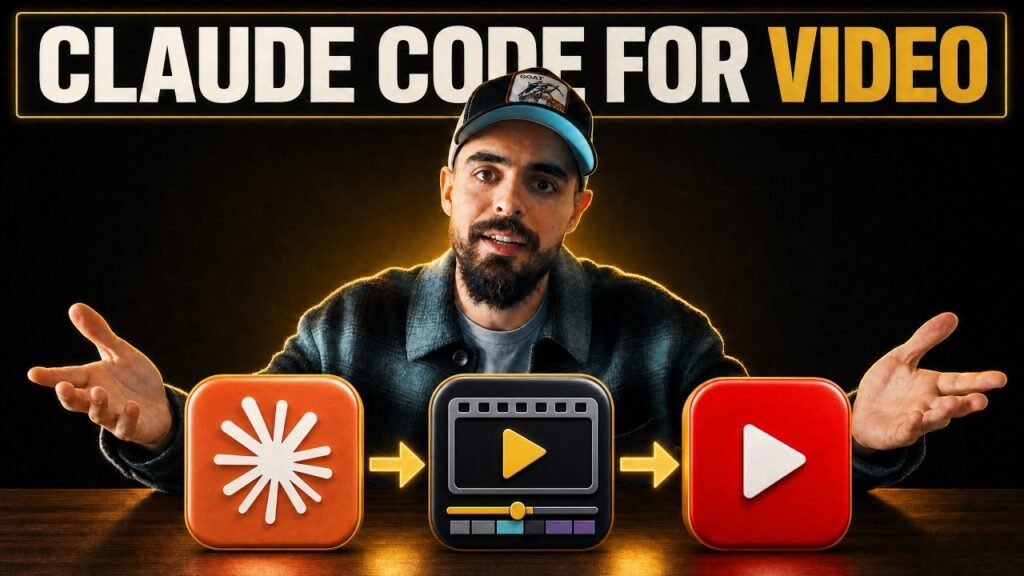
I run a YouTube agency, and video editing used to eat the week. Not anymore. I built an AI editing engine inside Claude Code, and I used it to edit the very video this post is based on. This isn’t theory — it’s the exact pipeline I’m running with clients right now, and I’ll show you every step.
Key Takeaways
- 80% time reduction is achievable: Active editing time drops from 4-6 hours to under 60 minutes for a standard talking-head YouTube video using this AI pipeline.
- Human oversight is non-negotiable: AI amplifies editorial taste — if your editor is poor, the AI produces poor work faster. A reviewer must be in the loop at every stage.
- The workflow has six layers: Audio treatment (Auphonic), transcript-aware structured cut, Frame.io review loop, motion graphics (HyperFrames + ComfyUI), sound effects (still manual), and packaging (Zernio).
- Brand training takes 2-3 videos: Agents need brand kits — logos, colour palette, motion graphic references — before they produce consistently on-brand output for clients.
- AI pricing will rise: Lock in these skills and workflows now while the economics are favourable. Wrapper businesses dependent on a single API provider are most exposed to cost increases.
Why Does Traditional Video Editing Take So Long?
Traditional video editing is slow because it’s almost entirely mechanical. You hand raw footage to an editor on Monday morning and you might not have a finished cut until Thursday.
The work itself — removing retakes, cutting mistakes, syncing audio, assembling the rough cut — doesn’t require creative skill. It requires patience and time. A skilled editor spends a huge proportion of their week on tasks that add no creative value.
Daily vloggers like Casey Neistat built entire careers around the grind of filming and editing simultaneously, and they were burning out to keep pace. For agencies managing multiple client channels, this bottleneck is a direct ceiling on growth.
AI doesn’t solve the creative problem. It solves the mechanical one — and that’s where most of the hours go.
What Is a Structured Edit and Why Does It Matter?
A structured edit is the wireframe stage of a video — all clips in order, mistakes removed, best takes selected, audio treated, ready to hand to a senior editor for polish.
Think of it as the rough-cut storyboard. Before any motion graphics, colour grading, or sound effects, you need a clean, coherent sequence that tells the story. That’s the structured edit.
This is the most time-consuming mechanical stage in video production, and it’s exactly where AI delivers the most value. The agent reads the transcript, identifies retakes and mistakes, selects the best take for each section, and assembles the sequence. I’ve found this stage alone saves half a day to a full day per video.
Getting the structured edit right is critical — everything downstream (motion graphics, b-roll, sound) builds on top of it. Garbage in, garbage out.
How Does the AI Handle Audio Mastering?
The workflow starts with audio treatment via Auphonic, which delivers a synced, noise-reduced, audio-mastered video via API before any cutting begins.
When you hit go, the agent sends your raw footage to Auphonic through its API. It comes back with noise reduction applied, levels balanced, and audio mastered for broadcast — all without touching a single fader manually.
Simultaneously, the agent transcribes the video and uses Grok and Google Search APIs to research the subject matter. By the time the audio comes back, the agent already understands what the video is about, which topics it covers, and what the narrative arc looks like.
This context is what makes the cutting intelligent rather than mechanical. The agent doesn’t just remove silences — it understands the story and cuts accordingly.
How Does the AI Know What to Cut and Keep?
The agent cuts mistakes and removes redundant retakes by cross-referencing the transcript with the footage, then selects the best take based on delivery and content criteria you train it on.
This is where the feedback loop matters. The agent learns from corrections over time — but only if you tell it to. I’ve found that explicitly instructing the agent to document its decisions and learn from your review feedback is essential. Otherwise, it treats each video as isolated.
Here’s what the cut logic looks like in practice:
- Mistakes: Identified via transcript markers and flagged for removal automatically
- Retakes: Both takes transcribed, best delivery selected based on fluency and content completeness
- Pacing: Long pauses shortened, not eliminated — natural rhythm preserved
- Story logic: Sections reordered only if the transcript suggests a clearer narrative flow (rare, requires confirmation)
The agent is a dumb computer with excellent pattern recognition. You make it great by training it and reviewing its work. Don’t expect perfection on the first pass.
What Does the Frame.io Review Loop Look Like?
Upload the structured edit to Frame.io, watch it as you would a human editor’s cut, write time-coded feedback notes, export as a text document, and feed it back to the agent — which then produces version two.
This is the most important design decision in the workflow: keeping the review process identical to how you’d review a human editor’s work. You don’t need to learn new software or change your habits. You review video, you write notes, you hand them over.
The practical time breakdown looks like this:
- Version 1 generation: 30-45 minutes (you’re working on something else)
- First review: 10-15 minutes of your active time
- Version 2 generation: 30-45 minutes (you’re working on something else)
- Final review: 5-10 minutes
Total active time: roughly 20-25 minutes. The rest of the wall clock time is the agent working. In our work with clients, two passes is usually enough for the structured edit stage.
How Do Motion Graphics and B-Roll Work in This AI Pipeline?
HyperFrames by HeyGen handles motion graphics, ComfyUI handles AI image and video generation, and both are trained on brand kits so the output is consistent with each client’s visual identity.
Once the structured edit is approved, the agent reads the transcript again and generates 10-12 motion graphic ideas for a 10-minute video. You review each concept — approve, reject, or redirect — and it goes away to build them.
I’ve found the first few videos with a new client always need significant motion graphic feedback. The agent needs to learn your brand’s visual language: what too busy looks like, what too minimal looks like, what makes a particular graphic feel off-brand. Once that’s trained, the quality improves dramatically.
The same review-loop process applies: Frame.io upload, time-coded notes, text document export, feed to agent, version two. The motion graphics pass typically takes longer than the structural cut because generation is compute-intensive — expect 45-90 minutes per pass.
What Is Zernio and How Does It Handle Video Packaging?
Zernio handles the final packaging stage — YouTube title, description, tags, thumbnail, and social media drafts — using the approved transcript and video as inputs, with everything landing automatically in scheduled drafts.
Once the video is finished, I hand the final transcript to my YouTube strategy skill inside Zernio. It generates title options, a full description, and tags optimised for discoverability. Separately, the thumbnail engine takes the transcript and produces thumbnail concepts trained on my brand and each client’s brand.
The result: approved videos appear in the scheduling queue with a title, description, tags, thumbnail, and social media drafts already attached. Nothing is published automatically — human review comes first. But instead of starting from a blank page, you’re editing 90% of the work that’s already done.
This is the difference between empowering a human strategist and replacing one. I still decide what gets published and what gets changed. The AI just means I’m deciding faster.
Frequently Asked Questions
Can AI video editing software completely replace a human editor?
No — AI video editing cannot replace a human editor in 2026. The tools handle structural cuts, audio mastering, and motion graphic generation, but taste, storytelling instinct, and brand judgement still require a human. AI amplifies a good editor’s output; it doesn’t substitute for editorial skill. Someone with no editing knowledge will still produce poor videos with AI tools.
What tools do you use in your AI video editing workflow?
My current stack is Claude Code (the orchestration layer), Auphonic (audio mastering via API), HyperFrames by HeyGen (motion graphics), ComfyUI (AI image and video generation), Frame.io (review and time-coded feedback), and Zernio (YouTube packaging — titles, thumbnails, social drafts). Each has a specific job in the pipeline.
How much time does this AI editing workflow actually save?
In my agency work, the structured edit stage alone saves half a day to a full day per video. You spend roughly 15-20 minutes of active review time instead of hours in the timeline. The AI handles the cut, audio treatment, and first-pass motion graphics while you work on something else. Total active editing time drops from 4-6 hours to under an hour for most talking-head videos.
What is a structured edit in AI video production?
A structured edit is the wireframe stage of the video — all clips assembled in order, mistakes and retakes removed, best takes selected, audio treated. Think of it as the rough-cut storyboard you’d hand to a senior editor for polish. The AI builds this from your raw footage and transcript, eliminating the most time-consuming mechanical work before any human review.
Does this workflow work for clients, not just your own channel?
Yes — I run this across client channels in my YouTube agency. Each client has their own brand kit loaded into the agent: logos, colour palette, motion graphic references, and tone guidelines. The agent learns the brand and applies it consistently. In our work with clients, the main adjustment is the brand training phase, which takes 2-3 videos to dial in properly.
What part of AI video editing is still manual in 2026?
Sound effects are the part I haven’t fully automated yet. Audio mastering is handled by Auphonic, music is manageable, but the creative placement of sound effects still requires human judgment. I flag this transparently because most AI editing tools overclaim. Everything else in my pipeline — structured cuts, motion graphics, b-roll, titles, thumbnails, social drafts — runs with minimal human input.
How do you give feedback to the AI during the editing process?
I upload the draft to Frame.io and review it exactly as I would a human editor’s cut. I write my changes as a text document with time codes, then feed that document back to the agent. It goes away, applies the changes, and returns a new version — usually in 30-60 minutes. You’re not writing code or editing timelines. You’re reviewing video and writing notes, which any content creator already knows how to do.
Is this AI video editing approach cost-effective compared to hiring an editor?
For high-volume YouTube operations, yes — significantly. A human editor for 4-8 videos per month typically costs £1,500-£3,000 in the UK. The AI stack (Claude API, Auphonic, HyperFrames, ComfyUI) runs at a fraction of that. The caveat: AI costs are rising, and you still need someone with editorial taste overseeing the output. The economics work best when you’re scaling volume, not replacing quality.
The Great Leveller — But Only While It Lasts
This workflow gives a solo creator or small agency the production capability that used to require a full post-production team. The cost advantage is real, and it’s compressing fast.
The AI tools that power this pipeline are cheap right now because the companies building them are in a land-grab phase. When OpenAI raises API prices, when HeyGen moves upmarket, when the wrapper businesses built on top of these APIs have to pass costs on — the advantage shrinks.
The creators and agencies who lock in these skills and workflows now, while the economics are still favourable, are the ones who’ll hold the advantage when pricing normalises.
Whatever you do: don’t sit on this. Get the workflow running, get the brand kits built, get the feedback loops trained. The mechanical work is already automatable. The strategic work — knowing what to make, knowing what good looks like, knowing your audience — that’s still yours.
Want help building this for your channel or your agency? Get in touch and let’s talk through what the setup would look like for your situation.
Sources
- Auphonic — Automatic Audio Post-Production
- HyperFrames by HeyGen — AI Motion Graphics
- Frame.io — Video Review and Approval
- ComfyUI — Open Source AI Image and Video Generation
- Wyzowl Video Marketing Statistics 2026
Written by John Isaacson — B2B content marketing strategist, YouTube agency owner, and AI workflow specialist. Last Updated: 24 June 2026.
Want results like this for your channel?
Book a free 30-minute strategy call and let's figure out the right move for your content.
Book a strategy call →