How to Edit Videos With AI Using Claude Code [2026]
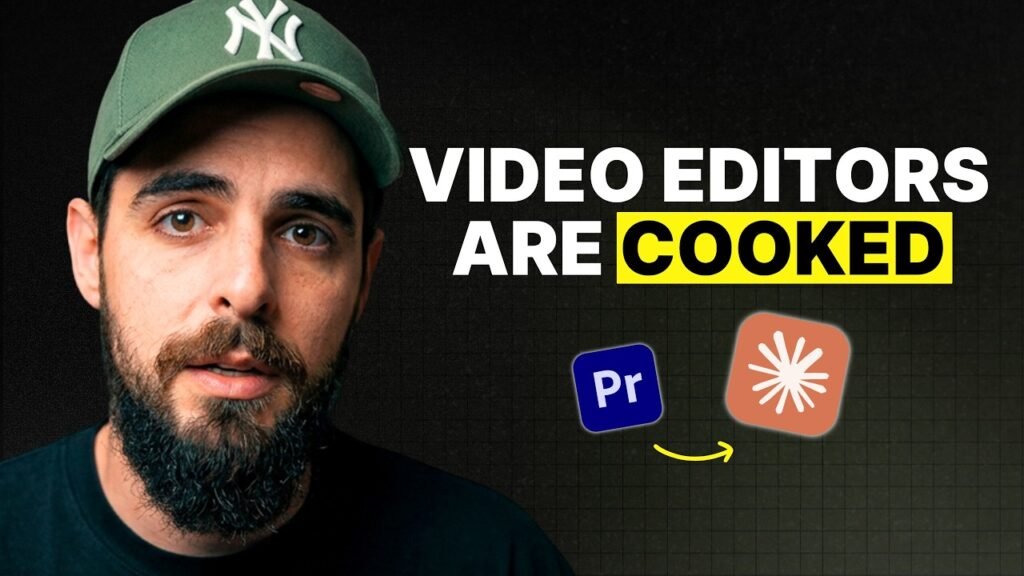
Claude Code can now handle an entire video edit — audio treatment, mistake removal, motion graphics, and export — in roughly 20 minutes. I spent a week teaching it video editing skills and tested it on real YouTube content. The result: a production-ready video without opening Premiere Pro once.
I’ve been editing videos professionally for years, both for my own channel and for clients. The process has always been the same: record, treat audio, rough cut, add graphics, export. Hours of work for every video. Last week I decided to see if Claude Code could replace that entire workflow. Here’s exactly what happened and what it means for creators.
Key Takeaways
- Claude Code completed a full video edit (audio treatment, filler removal, motion graphics, export) in approximately 20 minutes
- The entire record-to-publish workflow now takes under 1 hour instead of 3-4 hours
- A/B testing showed minimal retention difference between high-edit and low-edit styles — perception drives the preference, not performance
- The barrier to entry for content creation is dropping rapidly, making taste and strategy the real differentiators
How Does AI Video Editing Actually Work With Claude Code?
The process starts with raw footage. I record the video, then open Claude Code and load a custom video editing department skill. From there, Claude handles everything autonomously in a specific sequence.
First, it treats the audio through the Auphonic API — an AI audio mastering tool that handles normalisation, noise reduction, and levelling. Previously this required Adobe Audition or manually uploading to Auphonic’s website. Now it happens programmatically without any manual intervention.
Next, Claude analyses the transcript and cuts out mistakes, pauses, filler words, and dead gaps. For a podcast, this rough cut alone could take 1-2 hours manually. Claude does it in seconds by identifying speech patterns that indicate errors or unnecessary pauses.
Can AI Actually Create Motion Graphics for YouTube Videos?
After the rough cut, Claude analyses the script to identify moments where motion graphics would add value. I spent about half a day teaching it how to generate motion graphics using HTML animations rendered through Puppeteer and FFmpeg.
The graphics aren’t world-changing — they’re functional lower thirds, stat counters, and text reveals. But they’re good enough for a standard YouTube video. Claude selects the placement moments, generates the graphics, and composites them into the edit automatically.
The final step is a script review and export. The entire pipeline — from raw footage to YouTube-ready video — takes approximately 20 minutes.
What Does This Mean for Professional Video Editors?
The cost of creative production is falling. I’ve been saying this at university lectures and live streams for over a year: the barrier to entry for content creation keeps dropping, and pricing has to follow.
Editors doing basic grunt work — rough cuts, simple colour correction, straightforward timelines — will need to adapt. But editors with genuine taste, creative judgment, and strategic thinking are actually becoming more valuable. When everyone can produce a baseline edit, the people who elevate content beyond baseline are the ones worth paying for.
In my experience working with YouTubers, the best editors aren’t the ones who add the most effects. They’re the ones who know what to leave out.
Does Higher Production Value Actually Improve Video Performance?
This is where the data gets interesting. I’ve tested this directly with client channels: low-retention edit styles with minimal graphics versus high-retention edit styles with extensive B-roll, sound effects, music, and graphics overlays.
The result? No meaningful difference in retention rates. In some cases, the minimal edit actually outperformed the heavily produced version. Yet clients consistently prefer the high-production approach. The reason isn’t performance — it’s perception. They want to match their competitors, impress their peers, or satisfy their own expectations of what a “professional” video looks like.
Beyond a minimum quality bar — decent audio, reasonable lighting, clean colour — additional production value hits diminishing returns fast.
How Do You Avoid AI Slop When Using AI for Content?
The internet is drowning in AI-generated content right now. Most of it is slop because people are using AI to create content rather than to edit and distribute content that originated from a human brain.
Everything in my workflow still starts with me. I didn’t ask AI to generate a video topic. I built something, tested it, got results, and then recorded myself talking about it. Claude Code handles the editing and downstream distribution — blog posts, LinkedIn posts, newsletters — but all of it traces back to an original human idea and real experience.
AI amplifies what you already are. If you’re creating thoughtful, experience-based content, AI tools will help you distribute it further and faster. If you’re creating generic filler, AI will just produce more of it at higher volume.
What’s the Full Record-to-Publish Workflow?
Here’s the complete timeline for producing a YouTube video with this system:
- Record — 10-20 minutes of talking to camera
- Open Claude Code — load the video editing department skill
- Audio treatment — Auphonic API handles mastering automatically
- Rough cut — Claude removes filler, mistakes, and dead air from transcript
- Motion graphics — Claude identifies key moments and generates graphics
- Final review and export — Script check, then render
- Upload to YouTube — Schedule and publish
Total time: under 1 hour from pressing record to having a scheduled video. The editing portion takes Claude approximately 20 minutes.
Frequently Asked Questions
Do you need coding skills to use Claude Code for video editing?
You need some technical comfort with command-line tools, but Claude Code handles the actual coding. I built the video editing skills by describing what I wanted in natural language. The learning curve is in understanding what to ask for, not in writing code yourself.
What video quality can AI editing achieve compared to a professional editor?
For a standard YouTube talking-head video, the quality is perfectly adequate — clean audio, tight cuts, basic motion graphics. It won’t match a senior editor creating cinematic content, but for regular YouTube publishing it’s more than sufficient.
How much does it cost to run this AI video editing setup?
The main costs are Claude Code (Anthropic subscription), Auphonic (audio treatment credits — roughly $0.50-$1 per video), and your time setting up the skills initially. After setup, the per-video cost is minimal compared to hiring an editor.
Can Claude Code edit multi-camera podcast recordings?
Yes. I’ve built a separate podcast editing skill (JID PodFlow) that handles multi-camera switching based on transcript analysis. It detects who’s speaking and switches angles accordingly, then exports a Premiere Pro XML if you want to fine-tune.
Will AI video editing replace human editors entirely?
Not the good ones. Editors with strong creative taste and strategic thinking are becoming more valuable, not less. AI replaces the mechanical work — cutting, syncing, basic compositing — but it can’t replace genuine editorial judgment about what makes content compelling.
What types of videos work best with AI editing?
Talking-head content, tutorials, vlogs, and podcasts are ideal because they follow predictable patterns that AI can learn. Highly creative or narrative-driven content with complex B-roll sequences still benefits from human editorial direction.
How long did it take to teach Claude Code video editing?
About a week of focused work to build the core skills: audio treatment via Auphonic, filler removal from transcripts, motion graphics generation, and the export pipeline. Each skill took roughly half a day to build and test.
Sources & Further Reading
Want results like this for your channel?
Book a free 30-minute strategy call and let's figure out the right move for your content.
Book a strategy call →