How to Cut Video Editing Time by 80% With AI Tools [2026]
How to Cut Video Editing Time by 80% With AI Tools [2026]
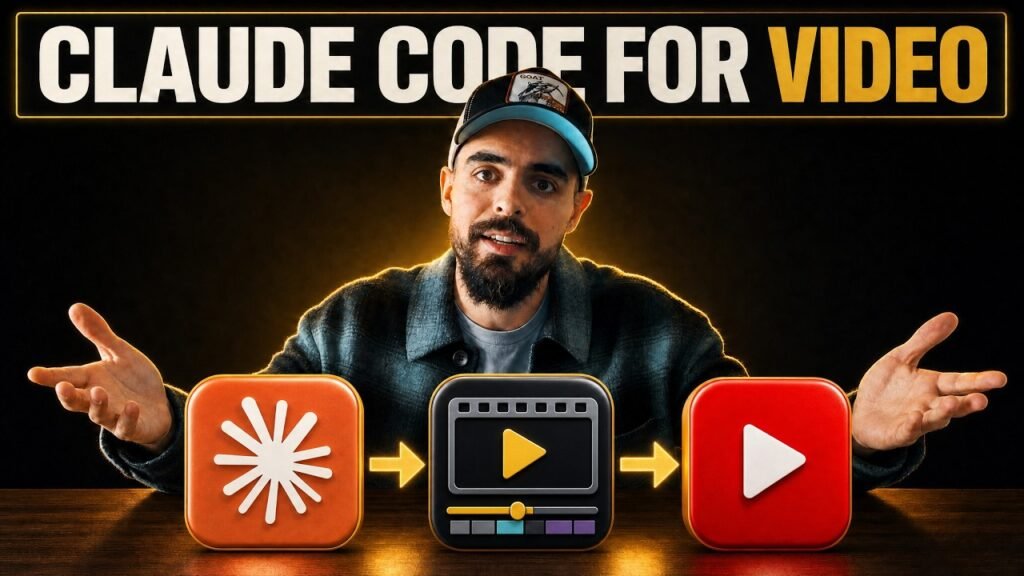
If video editing is eating your whole week, you’re not alone — and the off-the-shelf AI editing tools aren’t the answer. I built a custom AI editing engine inside Claude Code, and I’ve used it to edit my own YouTube videos. Here’s the exact workflow I’m running in my agency right now, including where AI genuinely saves time and where it still needs a human hand.
Key Takeaways
- 80% time saving is realistic for talking-head and educational YouTube content using a transcript-aware AI editing pipeline
- Human review remains essential — AI should handle mechanical cutting and assembly, but a skilled editor must sign off on every pass
- The workflow has 4 stages: structured edit (Auphonic + Claude Code), motion graphics (HyperFrames + ComfyUI), review loop (Frame.io), and packaging (Zernio)
- You stay in the loop without doing the grunt work — while the AI processes, you can record another video, answer emails, or chase invoices
Why Does Traditional Video Editing Take So Long?
Traditional video editing takes a full day or more because every stage requires a human to be present — watching footage, selecting takes, cutting mistakes, and sequencing clips. For a 10-minute YouTube video, a good editor might watch 30-60 minutes of raw footage before a single cut is made.
Daily vloggers like early Casey Neistat worked this way — filming and editing simultaneously, burning themselves out just to keep up with their upload schedule. The problem isn’t skill; it’s that the workflow itself is designed for human hands doing mechanical work.
AI changes this because most of that mechanical work — identifying mistakes, selecting the best take, cutting dead air, mastering audio — can be handled by a system that reads your transcript and understands your intent. The human editor then focuses on taste and creativity instead of assembly.
- Footage review: 30-60 min of raw watching → AI transcribes and identifies in minutes
- Take selection: Manual judgment call per clip → AI selects best take from transcript context
- Audio mastering: Separate software pass → Auphonic handles automatically via API
- First assembly: 2-4 hours → AI generates structured edit in under an hour
What Is a Structured Edit and Why Does It Matter?
A structured edit (sometimes called a wireframe cut) is the assembled rough cut where mistakes are removed, the best takes are selected, and the footage is ordered into a logical sequence. It’s the foundation everything else is built on.
Think of it as the handoff point between assembly and craft. Once the structured edit is done, a senior editor can come in and focus entirely on the creative work: motion graphics, B-roll, colour grading, sound design. If AI can handle the structured edit stage reliably, you save half a day before a human editor ever touches the project.
In my workflow, the structured edit stage takes 30-45 minutes of AI processing time. My active involvement is launching it and reviewing the output — roughly 10-15 minutes of work.
How Does the Audio and Transcript Stage Work?
The first step is sending the raw footage to Auphonic via API. Auphonic handles audio mastering automatically — levelling, noise reduction, and loudness normalisation — and returns a synced, broadcast-ready audio track attached to the video file.
While Auphonic processes the audio, the system also generates a full transcript and uses Grok and Google Search APIs to understand what the video is actually about. This context matters: an agent that knows your subject can make better cutting decisions than one that’s just pattern-matching on silence and filler words.
With the transcript and context in hand, the agent identifies retakes (and keeps only the best), removes mistakes and stumbles, and assembles the structured edit. You don’t have to babysit it — you hit go and come back when it’s done.
- Auphonic: Audio mastering, loudness normalisation, noise removal
- Grok + Google Search: Subject-matter research so the agent understands the story
- Transcript-aware cutting: Removes mistakes, selects best takes, cuts dead air
- Output: Clean, assembled rough cut ready for review
How Does the Human Review Loop Work?
The review loop is where the human stays in control without doing the mechanical work. When the AI produces a structured edit, you upload it to Frame.io (or any review tool) and watch it like you normally would if a human editor had cut it.
You mark the changes you want — wrong take used, section too long, this cut feels abrupt — and export your notes as a text document with timecodes. You give that document to the agent. It goes away and makes version two.
This cycle typically takes 2-3 passes. By the end, you’ve done about 20 minutes of focused review work while the AI has done hours of processing. The key insight is that reviewing is always faster than doing — and AI lets you stay in the reviewer role for the entire project.
What Role Does AI Play in Motion Graphics and B-Roll?
Once the structured edit is approved, the motion graphics stage begins. HyperFrames by HeyGen handles motion graphics creation, while ComfyUI handles AI image generation, video generation, and AI sound design. Both tools are trained on your brand kit — logos, colour palette, reference images, style guides.
For a 10-minute video, the agent typically proposes 10-12 motion graphic ideas based on the transcript. You review those ideas and give feedback: approve, reject, or redirect. The agent then generates the approved graphics and drops them into the cut.
The review loop applies here too — if the first pass of motion graphics isn’t right, you note the changes with timecodes and the agent iterates. It usually takes 2 passes to reach something you’d be happy publishing.
- HyperFrames (HeyGen): Motion graphics, animated titles, branded overlays
- ComfyUI: AI image generation, AI video clips, AI sound generation
- Brand kit training: Agent learns your visual identity from reference files
- Feedback loop: Timecoded review notes → agent iterates → repeat until approved
How Does the Packaging Stage Work?
Once the video is finished, Zernio handles the YouTube packaging. I pass the final transcript to my YouTube strategy skill (built in Zernio) and it generates title options, tags, and a full description based on the actual content of the video — not a template.
Separately, a thumbnail engine takes the transcript and generates thumbnail concepts. Everything comes back to the social media skill, which drafts the LinkedIn post, the newsletter, and schedules them. Approved videos end up with a title, description, thumbnail, and social drafts ready to review — not just a video file with “here you go” attached.
This packaging stage is the difference between getting a video done and getting a video distributed. Most creators do the editing and then spend another 30-60 minutes on packaging. AI compresses that to a 10-minute review.
What Still Requires a Human in This Workflow?
Three things still need human judgment: creative direction, sound effects, and strategy. Sound effects in particular haven’t been fully automated — the timing and selection of SFX still benefits from a human ear making contextual decisions. That’s an honest gap in the current workflow.
Creative direction — deciding what angle the video takes, what story it tells, what the hook is — must come from a human who understands the audience. AI amplifies whatever creative direction you give it. If your creative direction is weak, AI will execute that weakness faster and at scale.
The most important human input is strategy: knowing which video to make, why it will resonate, and how to position it. No AI tool will make you good at YouTube if you don’t understand your audience. Get the strategic skills in place first; then AI makes you significantly faster at everything else.
Frequently Asked Questions
Can AI actually replace a human video editor?
AI cannot fully replace a skilled human editor. It handles the time-consuming mechanical tasks — transcribing, cutting mistakes, syncing audio — but taste, brand consistency, and creative decisions still require a human in the loop. The goal is to give your editor more time for the work that matters, not to remove them entirely.
What tools do you use in your AI video editing workflow?
The core stack is Claude Code (the orchestration engine), Auphonic (audio mastering and transcription), HyperFrames by HeyGen (motion graphics), ComfyUI (AI image and video generation), and Frame.io (human review). Zernio handles YouTube packaging — titles, descriptions, thumbnails, and social drafts.
How long does the AI video editing process take?
A structured edit takes 30-60 minutes of AI processing time with 15-20 minutes of active human review across 2-3 passes. A full video with motion graphics and B-roll takes 2-3 hours total, versus a full day of traditional editing. Your active time is under an hour for the whole project.
Does this workflow work for any type of YouTube video?
It works best for talking-head educational content, tutorials, and vlogs — video types where transcript-aware cutting makes the biggest difference. Highly cinematic content or complex multi-camera setups need more manual oversight. The structured edit stage benefits any format; motion graphics automation is most effective for educational content.
What is a structured edit in AI video editing?
A structured edit is the assembled rough cut where all raw footage is ordered, mistakes are removed, and the best takes are selected. It’s the foundation a senior editor builds motion graphics and grading on top of. AI handles this stage using transcript-aware cutting, understanding which takes to keep based on the content context.
How does Claude Code handle video editing?
Claude Code acts as the orchestration layer — it calls external tools (Auphonic for audio, HyperFrames for motion graphics, ComfyUI for AI media generation) via API, reads the transcript to understand story context, and manages the review-and-iterate loop. It doesn’t edit video natively; it directs specialised tools and coordinates the workflow.
Is this AI editing workflow expensive to run?
Running costs depend on your video volume and tool choices. Auphonic charges per minute of audio processed. HyperFrames and ComfyUI have their own pricing tiers. For most creators producing 2-4 videos per month, the total tool cost is significantly lower than a freelance editor’s per-video rate, while producing faster turnaround.
What happens when the AI makes a bad edit?
You catch it in the review loop. After each AI pass, you watch the cut on Frame.io, note the changes with timecodes, and feed that document back to the agent. The AI iterates based on your feedback. This loop typically takes 2-3 passes before the edit is solid — the key is clear, specific timecoded feedback.
Take This Further
Building an AI video editing workflow that actually works takes time to set up, but once it’s running, it changes the economics of content production. You’re no longer limited by how fast you can edit — you’re limited by how fast you can review and approve.
The best time to get these workflows in place is now, while AI tool costs are still relatively low. As AI becomes mainstream, API costs will rise and the competitive advantage shrinks. Lock in the skills and systems before that happens.
If you want help building this kind of workflow for your YouTube channel or agency, get in touch. Or join the mailing list — I break down the tools and workflows as I build them.
Sources
- Auphonic — Automatic Audio Post Production
- HeyGen HyperFrames — AI Motion Graphics
- ComfyUI — Stable Diffusion GUI & Backend
- Frame.io — Video Review and Collaboration
- Claude Code — Anthropic
Want results like this for your channel?
Book a free 30-minute strategy call and let's figure out the right move for your content.
Book a strategy call →